Product news
The new LeadBot dashboard is live!
Your LeadBot results are now clearer than ever in the new dashboard. You'll find it in your own LeadBot environment. Read how to view the dashboard now.

Lammert Heek
Product · January 6, 2025 · 3 min
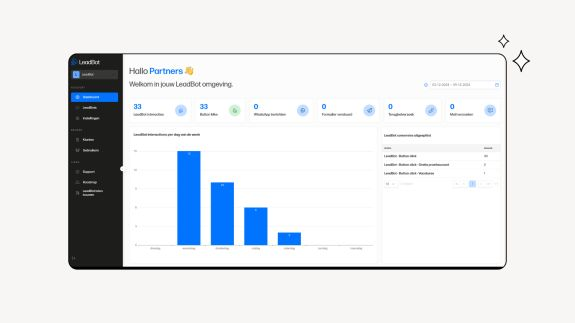
📊 A new dashboard? Tell me more!
When you log in to your own LeadBot environment, you'll find an extra item 'Dashboard' under 'Account' in the left menu. And you guessed it: that's where you click to reach the new dashboard. Use the period picker in the top right to select the period you want to see data for. Don't forget to select the right website in the top left to see its results. The dashboard shows all your key LeadBot results at a glance. ❗️Please note: LeadBot results are measured from 4 December 2024. No data is available before that date.
📈 What is being measured?
The dashboard is divided into eight sections. The total number of interactions is measured in the first block and in the graph. Below that, these interactions are shown per day of the week in a bar chart. The interactions are then broken down into the five ways of interacting within LeadBot:
- Button clicks: total number of clicks on the various buttons.
- WhatsApp messages: the number of WhatsApp messages sent.
- Forms submitted: the total number of forms sent.
- Callback requests: the number of requests to be called back.
- Email requests: the number of requests to be emailed back.
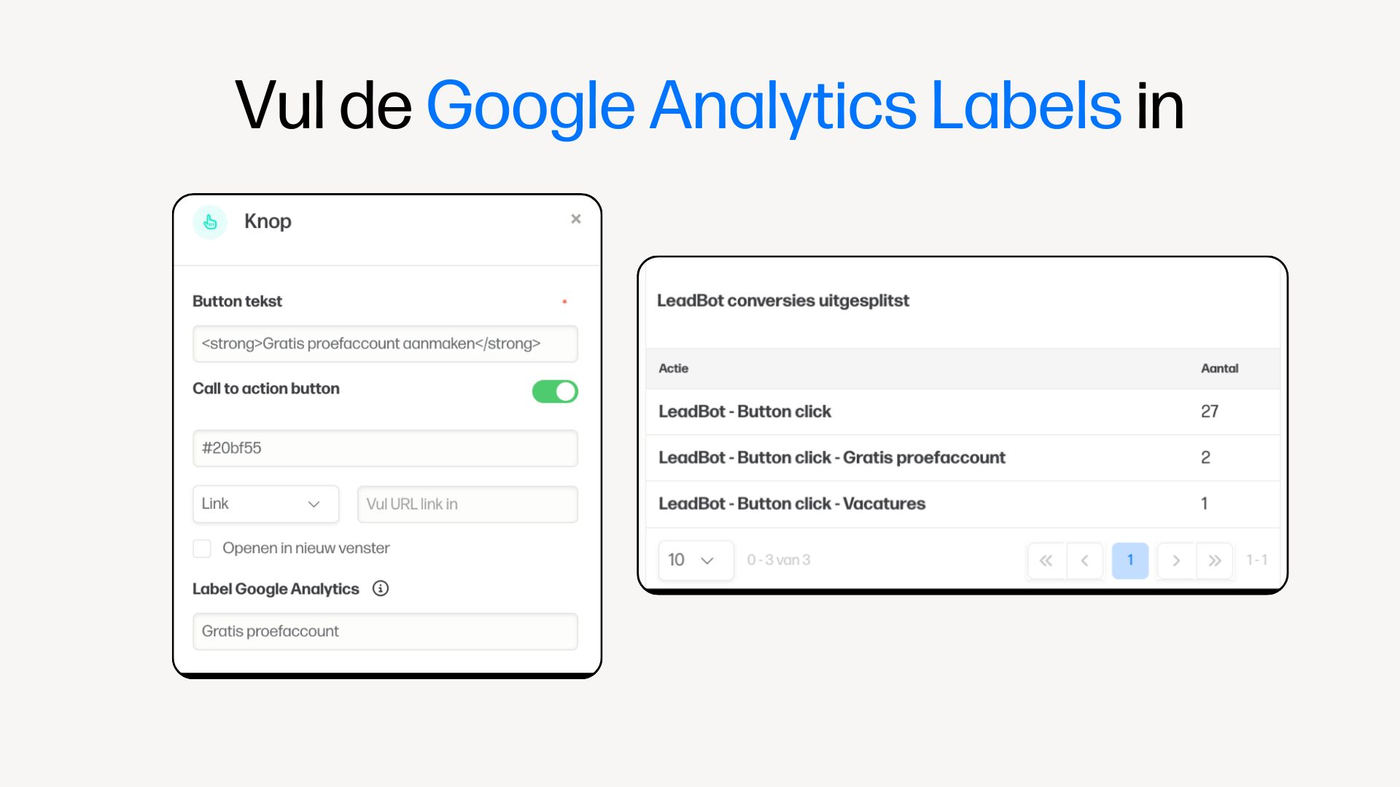
Finally, all LeadBot conversions with an event label are broken down. This complements the standard data mentioned above. Read below what exactly this means.
🏷️ Labelling your data properly
Want to make specific buttons, forms or contact options measurable too? This works the same as before. You do this by 'labelling' them within the LeadBot environment. Follow these steps:
- Open the LeadBot's Settings.
- Turn on the Google Analytics event labels slider. An extra field will then appear in the LeadBots.
- Fill in the Google Analytics labels of the buttons, forms or contact options you want to measure.
Read more about the Google Analytics labels here 👇
So, now you have all your data clearly in one place! Any questions? Contact us at partners@leadbot.nl or via the LeadBot on our website.