Product news
10 templates to build LeadBots effortlessly
Discover 10 LeadBot templates for different conversions and industries. Easily build a LeadBot and turn website visitors into leads. Try it free for 30 days!

Talitha Harthoorn
Partner Success Manager · March 6, 2026 · 5 min
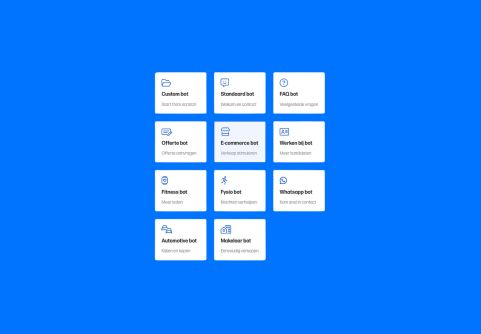
The templates in a nutshell
Creating a LeadBot becomes easier than ever with our templates. Choose a template that targets a specific conversion. Or pick one of our new templates built specifically for your industry. Read below what each template has to offer.
1. Standard bot
The standard template greets the website visitor and immediately offers the option to ask a question or get in touch. The main call to action is clearly highlighted with an eye-catching coloured button. This button links, for example, to an important page on your website. That way, visitors navigate your website effortlessly.
2. FAQ bot
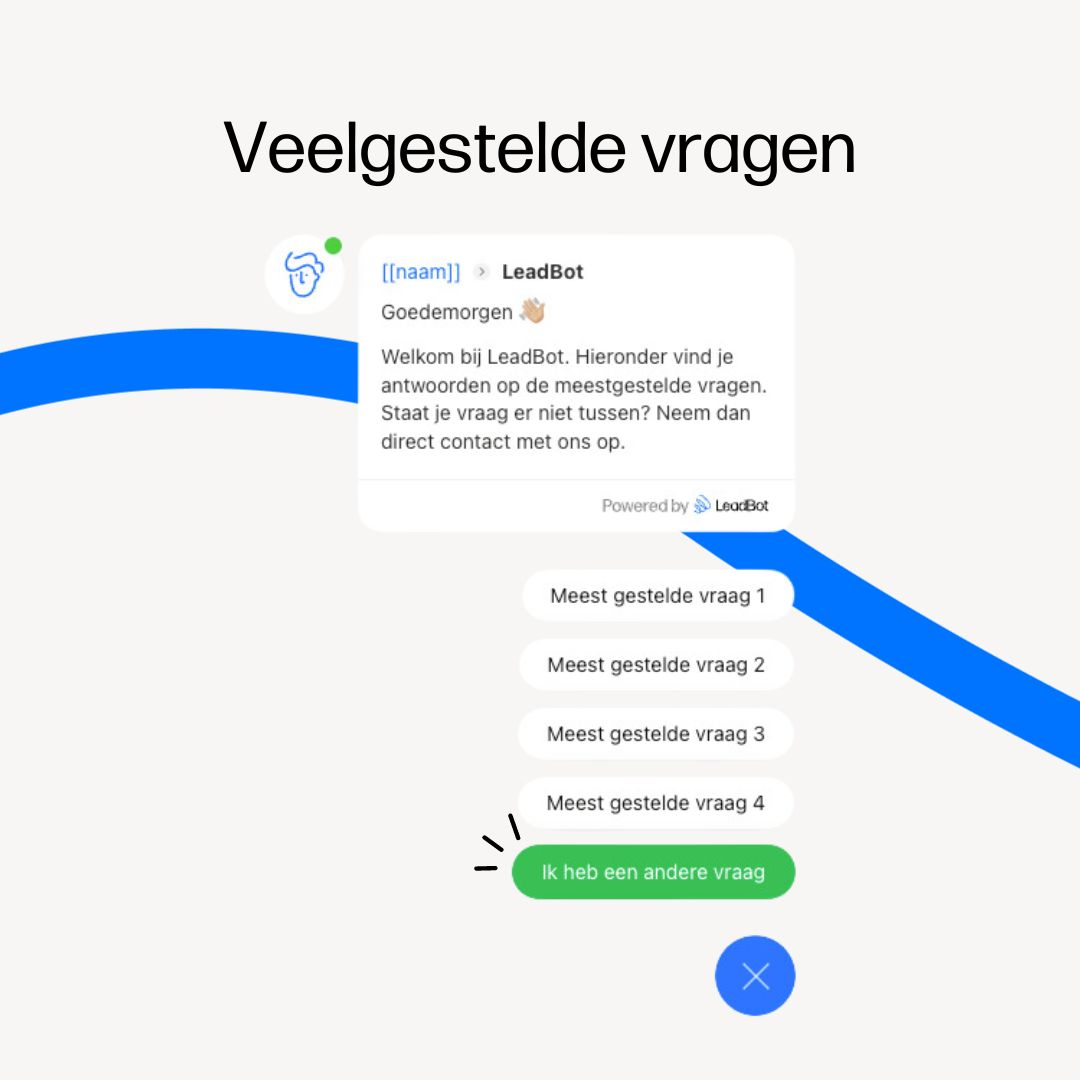
Reduce the pressure on your customer service team by answering frequently asked questions directly in the LeadBot. Does your visitor still have another question? With a single click, they can get in touch. Easy as that!
3. Quote bot
With this template you drive quote requests directly with the message: 'Curious what we can do for you? Request a no-obligation quote.' You can probably guess the main call-to-action button in the bot. This button gives visitors the option to request a quote right away.
4. WhatsApp bot
Like to get straight to the point? Give your customer the fastest way to get in touch right away. Connect your WhatsApp Business account and greet your visitor personally with your name and photo. This is the only LeadBot without an extensive flow and multiple buttons. Simple, but straight to the goal.
5. Careers bot
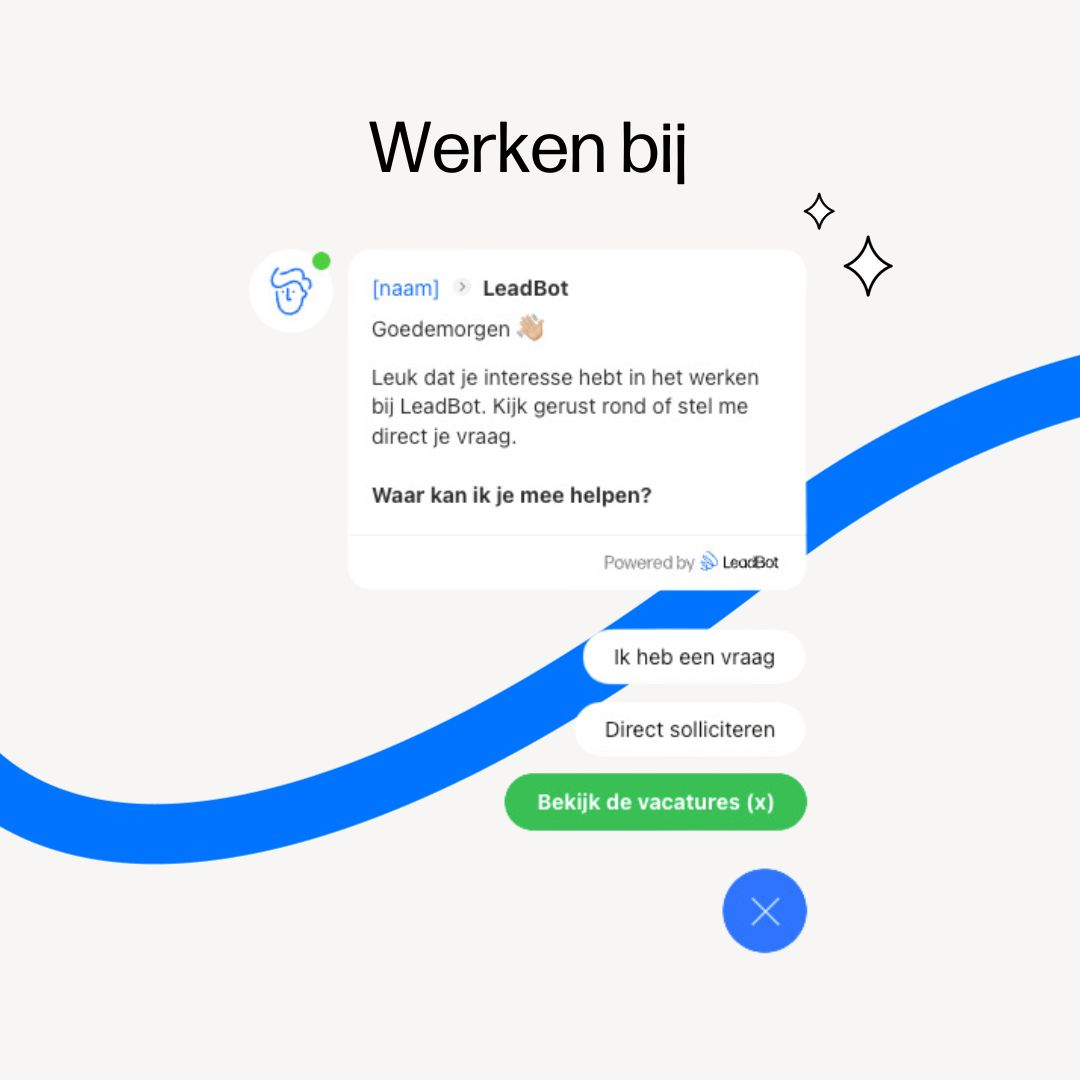
In this template, the greeting immediately encourages applying to your organisation with the message: 'Great that you're interested in working with us. Feel free to look around or ask me your question!'. The visitor can then ask a question, continue to the vacancies page or simply apply directly in the LeadBot. You can also show the number of open vacancies right in the button.
6. E-commerce bot
Use this bot to keep your website visitors informed. Frequently asked questions about payment, returns, cancellations, delivery times and shipping are answered instantly. All you need to do is put the right information into the answers. The coloured call-to-action button encourages visitors to browse your webshop's products. Tip: start by distinguishing between different product categories. That way your visitors easily find the item they're looking for.
7. Fitness bot
Do you offer a free intake, trial class or fitness coaching? Give it extra attention with LeadBot. The website visitor can then easily sign up via a form in the bot. Also push for hard conversions with, for example, an 'I want to become a member' button. In the end, it's all about getting more members.
8. Physiotherapy bot
With this template you smartly tap into the main reason someone visits your website: they're experiencing discomfort. After clicking the 'I have a complaint' button, your visitor can indicate where they feel pain or discomfort. You then guide the visitor to a page with more information about their complaint, offer advice, or let them book an appointment right away.
9. Automotive bot
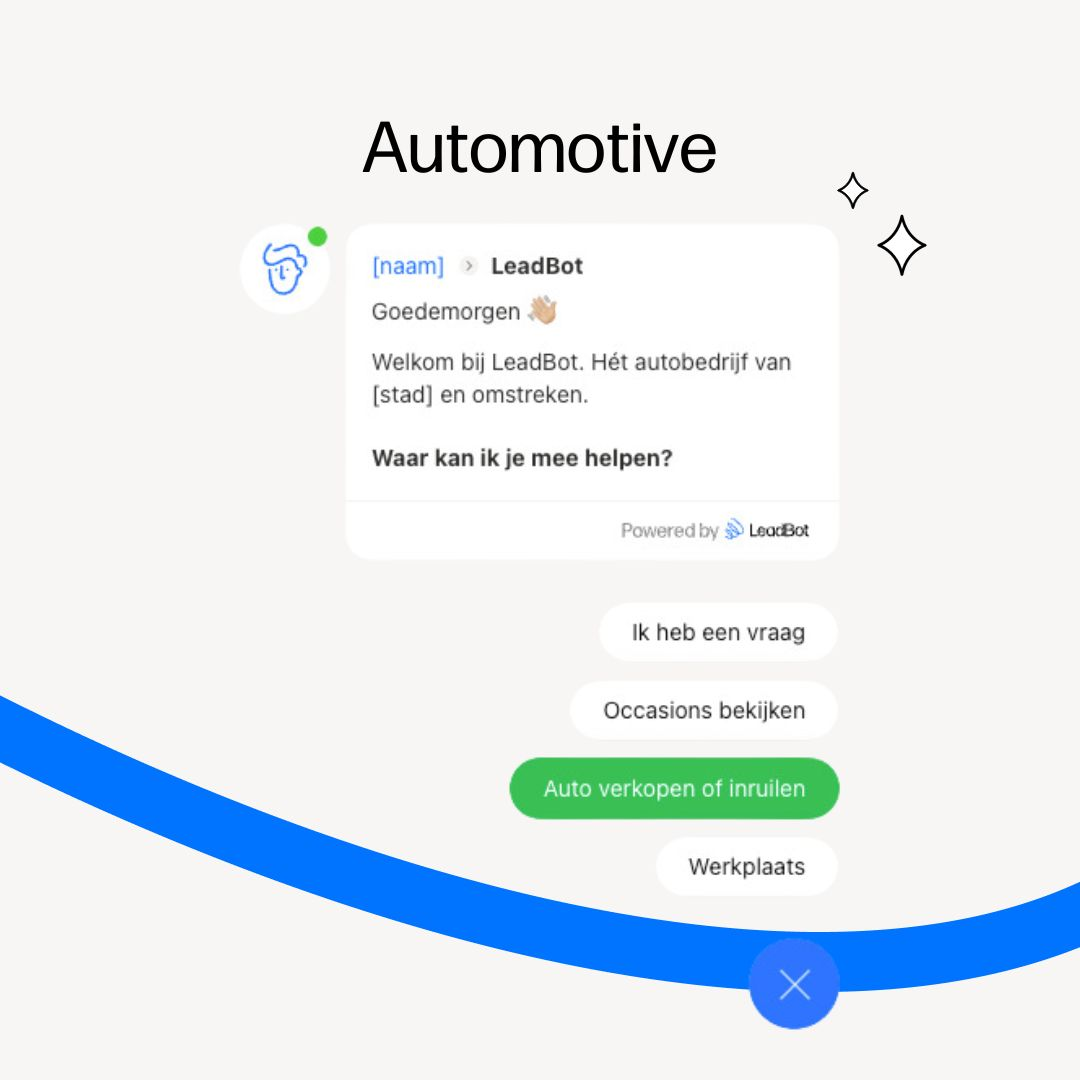
In the automotive industry we often distinguish three different services: repair and maintenance, buying a car, or selling/trading in a car. Tap into this with a LeadBot that greets your website visitor personally and then asks which service they're looking for. Now that you know why visitors come to your website, you send them straight to the right page. Super efficient!
10. Real estate bot
Real estate agents offer many different services. Mortgage advice, valuations, insurance, guidance with buying and selling, rentals and much more. That's why this template includes a 'Discover our services' button. Make sure you then present all the services you offer with buttons in the bot. Visitors can then navigate effortlessly to the right service page. Want to get the most out of LeadBot? Place a new bot on the service pages that focuses on answering questions and making contact easy.
Get started
Is freedom important to you? Same here! A chosen template is always fully customisable to your needs. Remove buttons, add new ones or change the main call to action. Add conditions, so that for example the 'Call now' button is only visible on mobile and between 09:00-17:00. Rewrite copy in your own tone of voice. And don't forget to add your name and photo for a personal touch. That's how you make the LeadBot truly your own. Can't find your ideal template? Let your creativity run free and build a custom bot.
Ready to turn website visitors into leads? Start building your own LeadBot now! Create a free account here and try it for 30 days, no strings attached.